
A solution is several applications deployed into one Google Cloud project as a single dependency-ordered unit. Take one of the 60+ pre-composed, describe what you need and have RAD compose it, or answer four questions and have it composed, named and priced for you.
Everything deployable sits on one page in the product, as tabs — Build Solution with AI, Solution Catalog (filtered to All, My solutions, RAD solutions or RAD modules) and Managed Environments, which holds lab sessions and client projects where those are enabled, plus a Run for you view once someone runs one for you. Signing in with purchased credits lands on Build Solution with AI; without them, on the RAD modules view. The single-application catalogue is a view of the Solution Catalog rather than a separate destination; its own address still works, so existing links and bookmarks keep resolving.
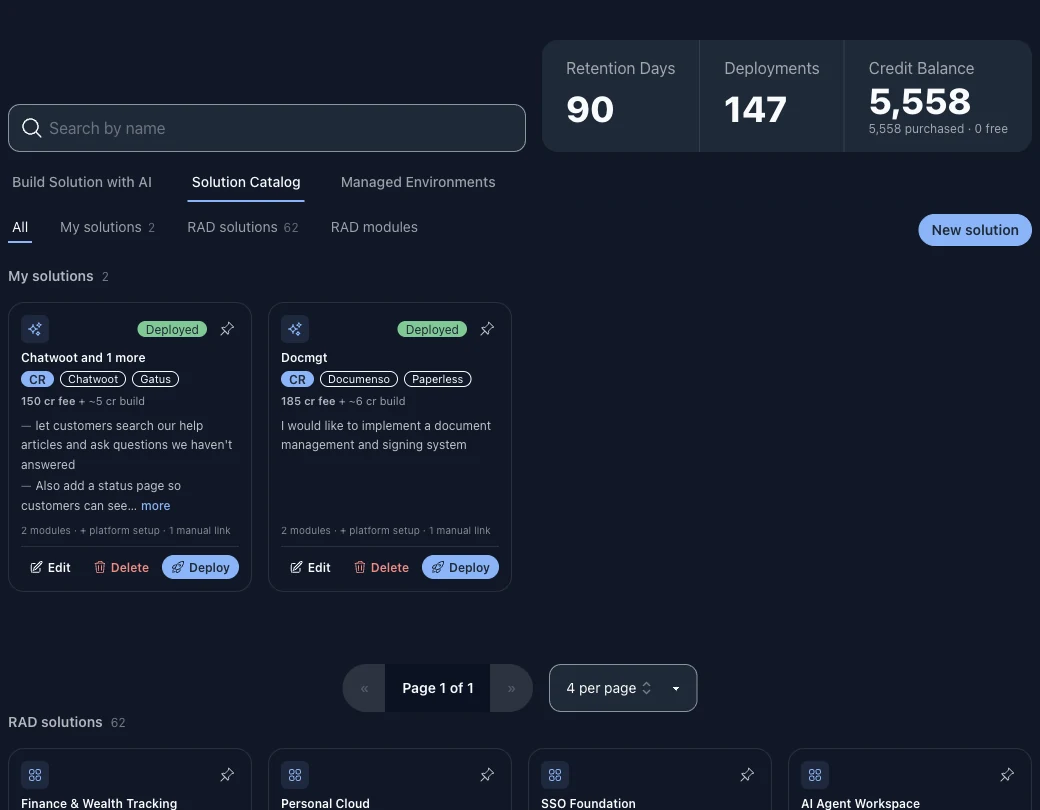
Most deployment tools install one application. RAD's solutions install a working set into the same project on one confirmation, several at a time, and a member waits only for the member whose output it needs.
Every member is an ordinary RAD module, landing as plain Terraform in a Google Cloud project you own or one RAD manages for you. Each member's Terraform state is held in RAD's own Cloud Storage bucket, not in your project.
The catalogue is one route. The other is to say what you are trying to build in your own words. RAD reads the module catalogue, proposes a combination with a reason for each choice, and saves the result as your own solution — private to your account, and deployed through exactly the same pipeline as a pre-composed one.

RAD connects two members only where a known connection between those two applications already exists. Where none does, it says so on the card rather than inventing one, and the members still deploy.

Composing and deploying still assume you know what a tier, a region tag and a wave are. The guided route assumes none of it: four questions in ordinary words, and it returns a named, priced, working set of applications. It is Build Solution with AI, the first tab on the Solutions page, and it needs purchased credits; without them it is shown locked, with a Buy credits button.
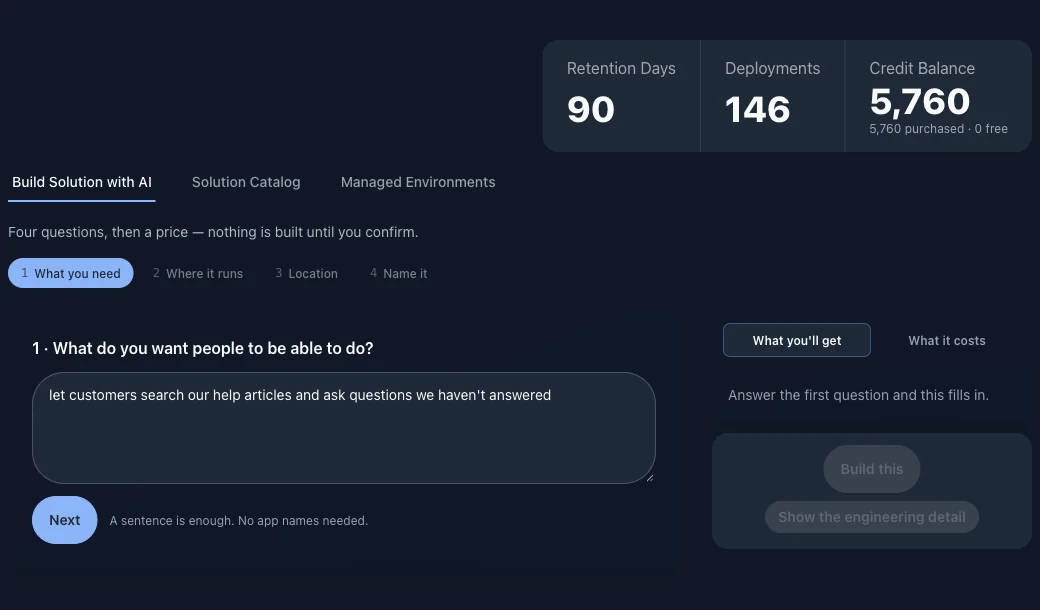
The four answers seed the deployment form itself — the project, the tier, the region and the name arrive already set, rather than the form opening on its own defaults and quietly overriding what you said. Answering in plain language and then being asked again, unrestricted, would be worse than never asking.
Arrive with everything answered and you get a Ready to deploy summary rather than a form. Two things end that: an application that needs a credential, and any required setting the four questions do not cover. The interview will not carry a secret, and it will not pretend a field is optional because it did not ask about it.
A single application deploy is rarely a single deployment — a shared foundation may have to be created first. The estimate prices the whole chain in one call and splits what is charged now from what is metered as it builds. A minimum balance, where one applies, is shown as money you must hold, never added to the total as money you spend.
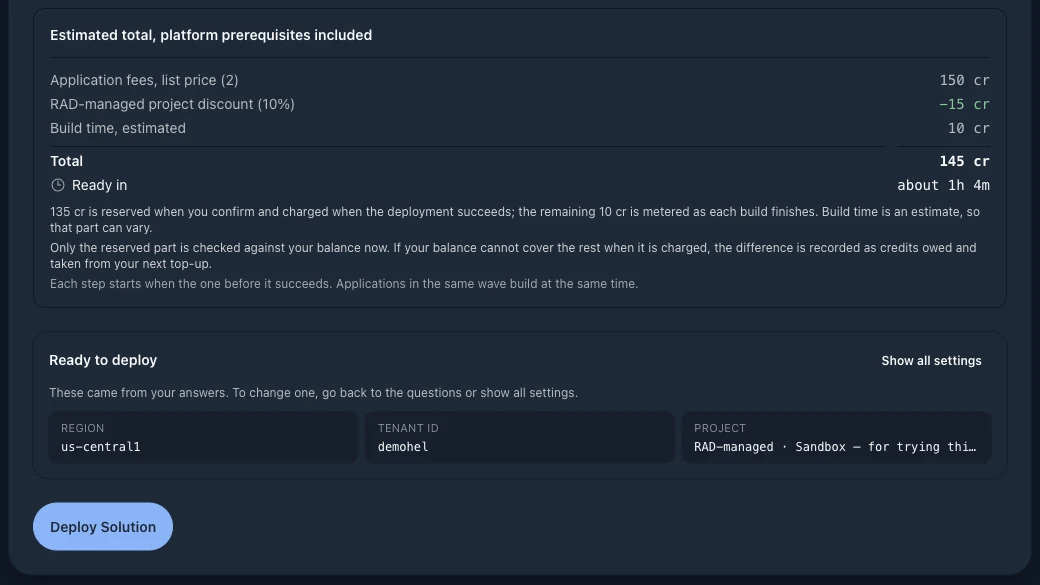
The guided route discovers and quotes; it does not deploy by a second path. The set it produces is an ordinary custom solution, provisioned through the pipeline every other solution on this page uses.
Six applications a business of five to fifty people needs in order to trade and get paid. One form, one confirmation, six deployments into one project.
The system of record for customers, quotes, orders and the chart of accounts. Everything else in the suite sits around it.
Raises and chases invoices against the customers and orders held in the ERP core.
Time recorded against customers and projects, for the work that is billed by the hour rather than by the deliverable.
Contracts and order forms signed without a per-envelope subscription. Documenso is the listed alternative if you prefer it.
The document store behind all of the above, in the same project rather than in someone else's consumer drive.
Listed last because it links to the other five. Nothing wires this connection for you: you point it at their addresses once they are running.
Solutions carry named alternatives where a substitute exists. Dolibarr can be swapped for Odoo or EspoCRM here, leaving the rest of the bundle unchanged.
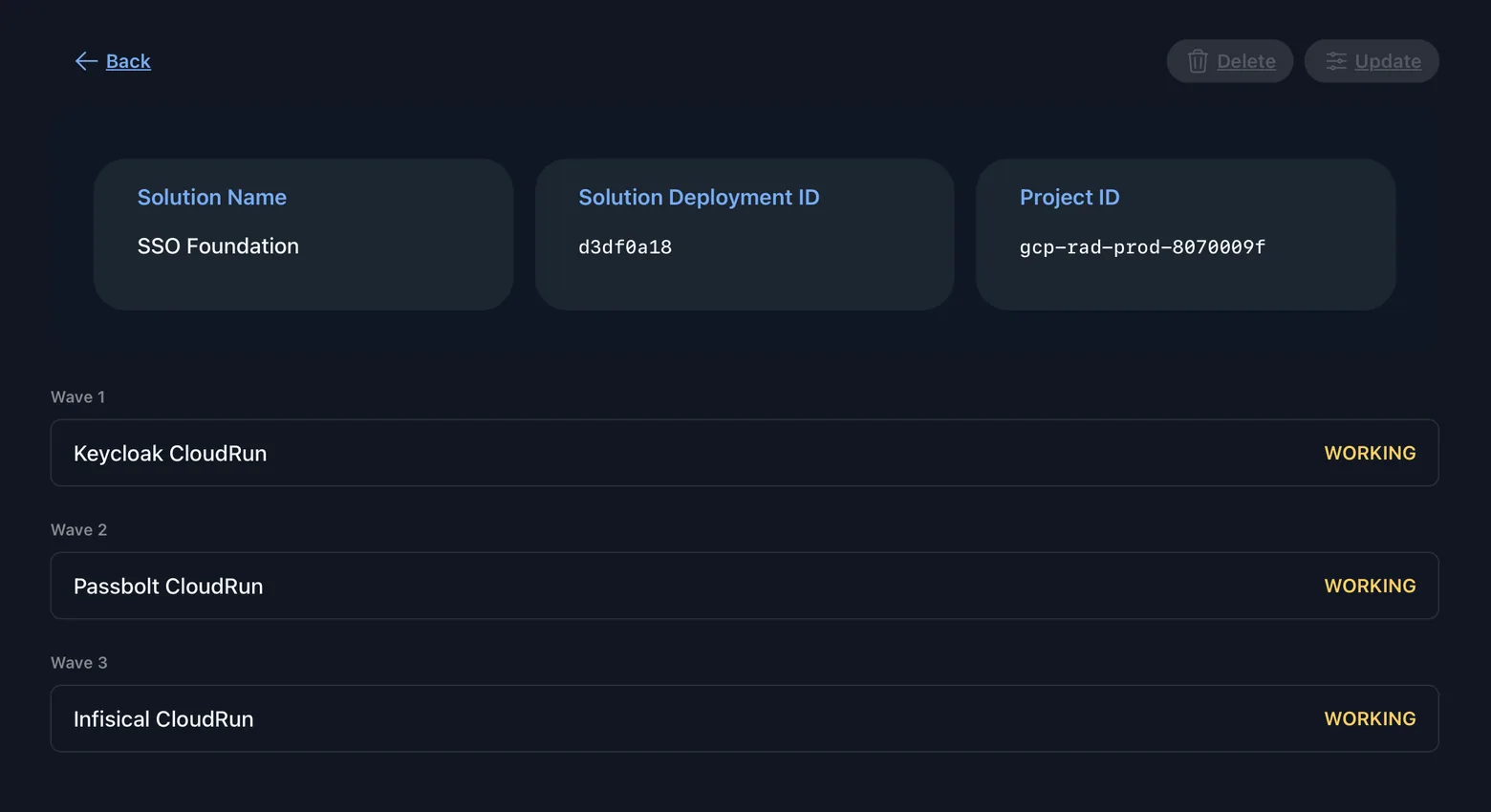
Two things hold a member back: the shared foundation, if the project and its shared services are being created as part of this deployment, and a producer whose Terraform outputs the member needs. Everything else starts as soon as you confirm.
The whole solution is written at once, with credits reserved as a single sum. A member that must wait names the deployments it needs; everything else is queued immediately.
Not for a stage, and not for the member in front of it. It is released once every deployment it names has succeeded. If one fails, that member is cancelled and the rest carry on.
Members with nothing to wait for are provisioned in parallel, up to four at once by default, rather than one after another, so a six-application solution is not six builds run back to back.
The credit cost of every member is reserved as a single sum before the first build starts, so a solution is never left standing part-way through because the credit balance ran out.
Producer-and-consumer pairs are wired by the platform. In other solutions, every connection between members is a step you carry out after the deployment finishes.
Where a pair is wired, the producer publishes real Terraform outputs: a service URL, a cluster-internal address, an API endpoint. When it finishes, those values are copied into the consumer's configuration before it builds, as an environment variable or a typed Terraform variable.
Elasticsearch's connection details are written into RAGFlow's and Zammad's configuration when Elasticsearch finishes. Both use it as their search back end.
The model runtime and the gateway in front of it both hand their endpoints to the chat interface, so it has models to talk to on first load.
The analytics database's cluster-internal address, database, user and password secret are written into Plausible's configuration. Plausible checks at plan time that it has a ClickHouse to write to, so this solution cannot be applied without the wiring.
The Matrix homeserver's address goes into the client, which is otherwise a web app pointed at nothing.
The CI server is given the address of the source host it builds from. Registering the OAuth application on the Gitea side is still yours to do, and the solution says so in its post-deployment notes.
Everywhere else, connecting the members is your job. The members of a solution arrive in one project, on one shared foundation, with one credit reservation and in an order that respects what depends on what. They do not arrive integrated.
Some solutions carry written post-deployment notes for the work that remains: connecting Nextcloud to ONLYOFFICE, registering the Gitea OAuth application Woodpecker needs, adding VictoriaMetrics and Loki to Grafana as data sources. The rest leave it to each application's own setup.
Where this sits in the beta. Automatic wiring is one of the newer parts of RAD, so we describe it as designed to connect these pairs. After a solution finishes, check the values in each member's configuration before relying on them.
Destroying an estate in the wrong order is how you end up with failed teardowns and resources nobody can account for.
Deleting a solution asks every member to go. A prerequisite is not torn down when its reference count reaches zero: that only means its dependents were asked to leave. Its teardown is parked until all of them are terminal.
A dependent whose own destroy fails still releases the thing above it. Waiting for success would strand the prerequisite in a deleting state indefinitely, instead of finishing the teardown and showing you the member that failed.
Before refusing to destroy something because other deployments depend on it, RAD resolves each reference and blocks only on those that still exist, then rewrites the list. A stale reference does not become a permanent block.
60+ solutions, grouped by the job they do rather than by the technology inside them. Two named examples from each.
| Category | Example solutions | Applications inside them |
|---|---|---|
| Business Operations & Back Office | Small Business Suite · Integrated ERP Platform | Dolibarr, Invoice Ninja, Kimai, Odoo, Metabase, OnlyOffice |
| Sales, Marketing & Customer Engagement | CRM & Sales Operations · Marketing Automation Suite | Twenty, Cal.com, Listmonk, Mautic, Matomo, n8n |
| Web Presence, Content & Commerce | Headless Content Platform · E-commerce Storefront | Directus, Umami, Medusa, Payload, Matomo |
| Digital Workplace & Collaboration | Team Workspace · Secure Team Communications | Nextcloud, OnlyOffice, Mattermost, Synapse, Element, Vaultwarden |
| Developer Platform & DevOps | Source Control & CI/CD · Observability & On-call | Gitea, Woodpecker, Grafana, Loki, Uptime Kuma, GlitchTip |
| Data, Analytics & BI | Analytics Warehouse · Self-service BI | ClickHouse, Superset, Metabase, NocoDB, CloudBeaver |
| AI & Automation | Private AI Assistant · Enterprise RAG & Document Intelligence | Ollama, LiteLLM, OpenWebUI, Qdrant, Elasticsearch, RAGFlow |
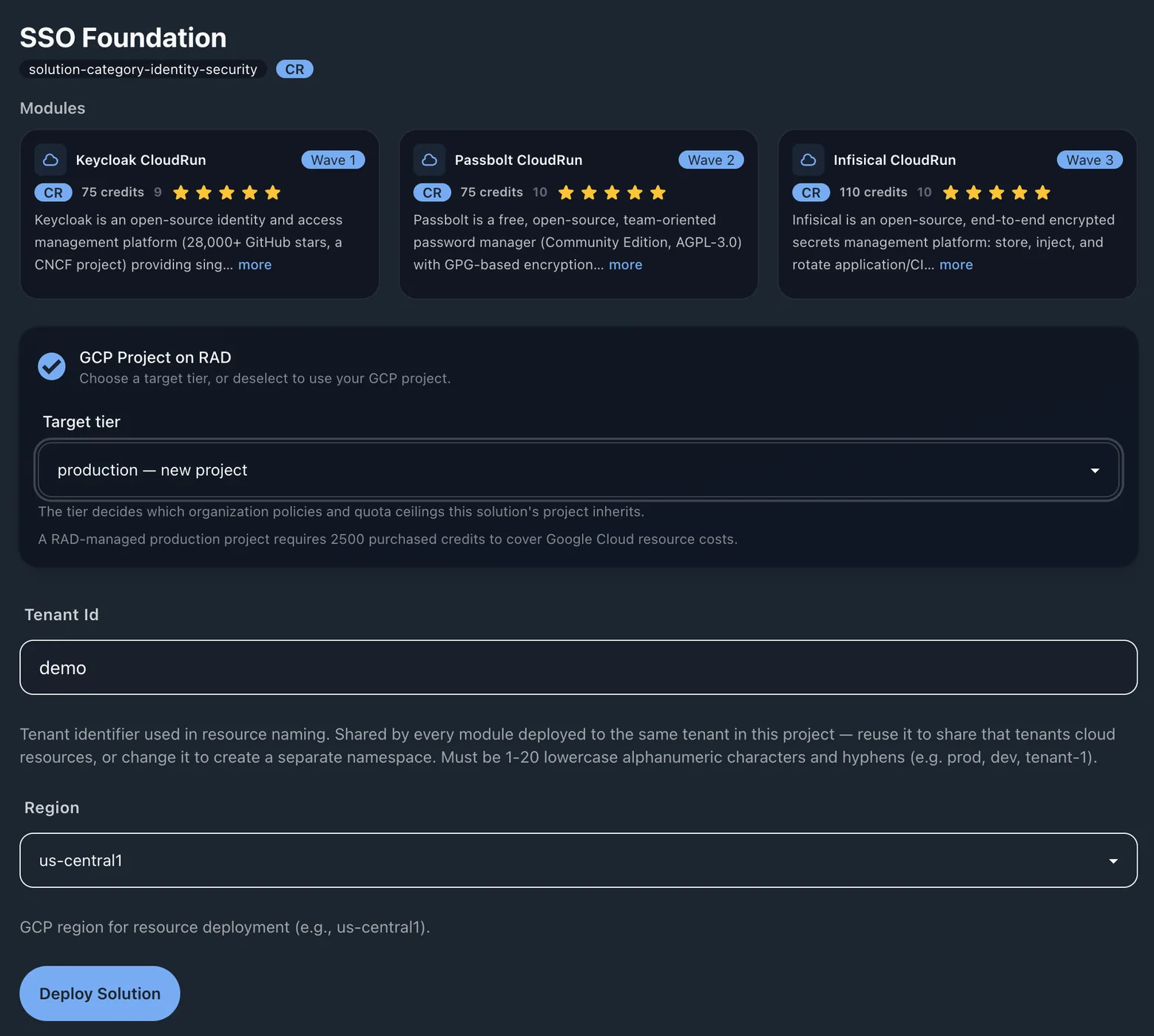
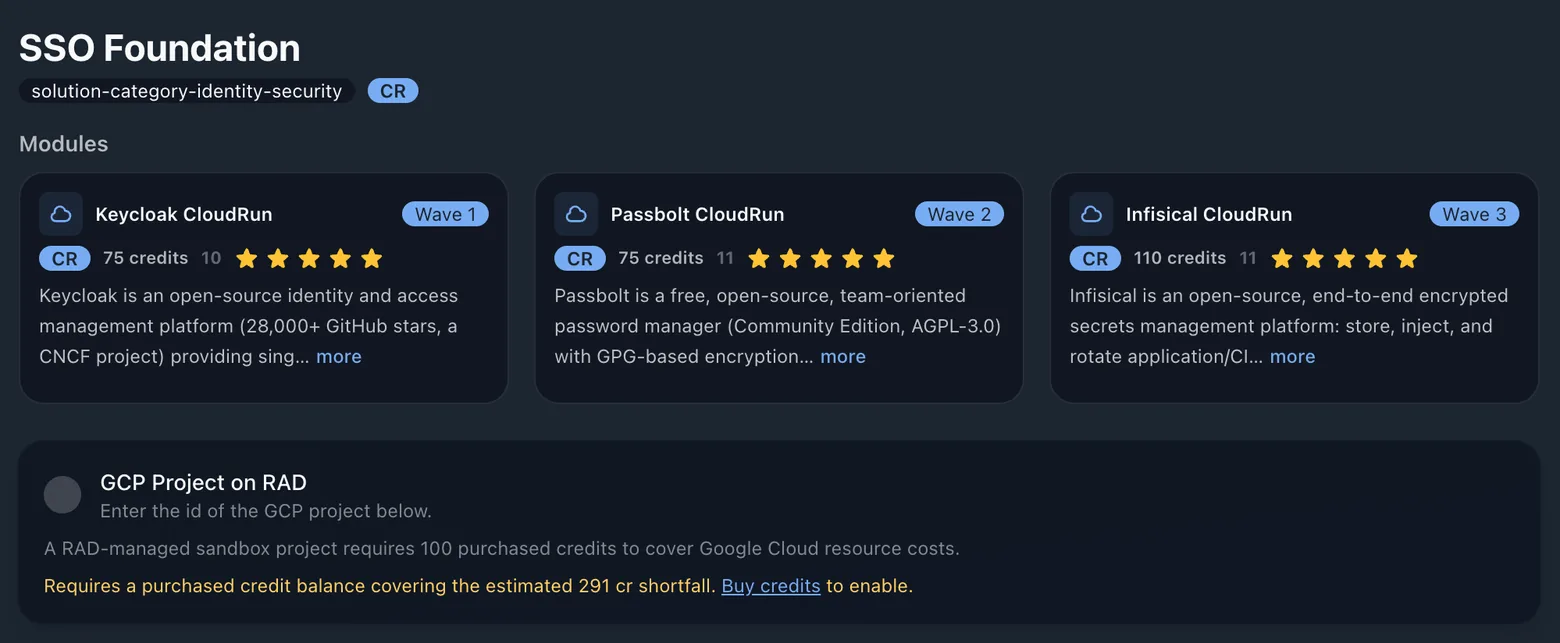
| Identity, Security & Zero Trust | SSO Foundation · Zero-trust Network & DNS | Keycloak, Passbolt, Infisical, Headscale, AdGuard Home |
| IT Operations & Service Management | IT Service Desk · Monitoring & NOC | Zammad, Snipe-IT, BookStack, Uptime Kuma, Netdata, Gatus |
| Education & Training | Learning Management Platform · Developer Training Lab | Moodle, Nextcloud, Element, code-server, Gitea |
| Industry & Sector Solutions | Clinic & Practice Management · NGO & Nonprofit Operations | OpenEMR, Cal.com, Paperless, Dolibarr, LimeSurvey |
| Personal Cloud, Media & Lifestyle | Personal Cloud · Digital Library | Nextcloud, Immich, Vaultwarden, Calibre-Web, Komga, Audiobookshelf |
All are seeded and selectable. See the full module catalogue — 350+ deployment options across 190+ applications and platform modules.
The same module fees as deploying each application on its own, less a bundle discount that grows with the size of the solution.
Every member's fee is shown in the confirmation screen, line by line, with the discount applied and the resulting balance, before anything is provisioned. Where RAD creates the project and its shared services, those are priced on the same screen. In the current release a deployment that fails is not charged at all, neither module fee nor build cost; that is a Finance setting, not a fixed rule.
Build cost is metered from how long provisioning actually ran, and the average build takes about 19 minutes. Estimates round up, to match what is charged.
The same estate, once per participant, from one lab session.
A trainer runs a lab session from the Lab sessions view of Managed Environments on the Solutions page: a named cohort sharing a time window, a region and a credit allowance per participant. Choose a module or a multi-application solution, and it is built into every participant's own real Google Cloud project in one action, in the lab tier's own folder, with the tightest guardrail set RAD applies.
Who pays is fixed when the session is created: the trainer funds every place from purchased credits, or each participant buys their own. Credits the participants do not use return to the trainer when the session settles; a place whose clock never starts is refunded to whoever paid for it. When an environment's time or credits run out, its billing is switched off and its project deleted.
Lab sessions are early access. We are looking for pilot partners.
Pick a solution, answer the questions that differ between one installation and the next, and watch it build into a project you own.
Google Cloud only. Every module is Terraform. RAD is a way to deploy a governed estate without writing the infrastructure code for it.